Use case · Closing the month
A month-end close checklist that checks itself against the books
Ten checks run on the month's rows. Three of them block the close; the rest are recorded with it, so your accountant sees what was known.
The case
May, still open at the end of September
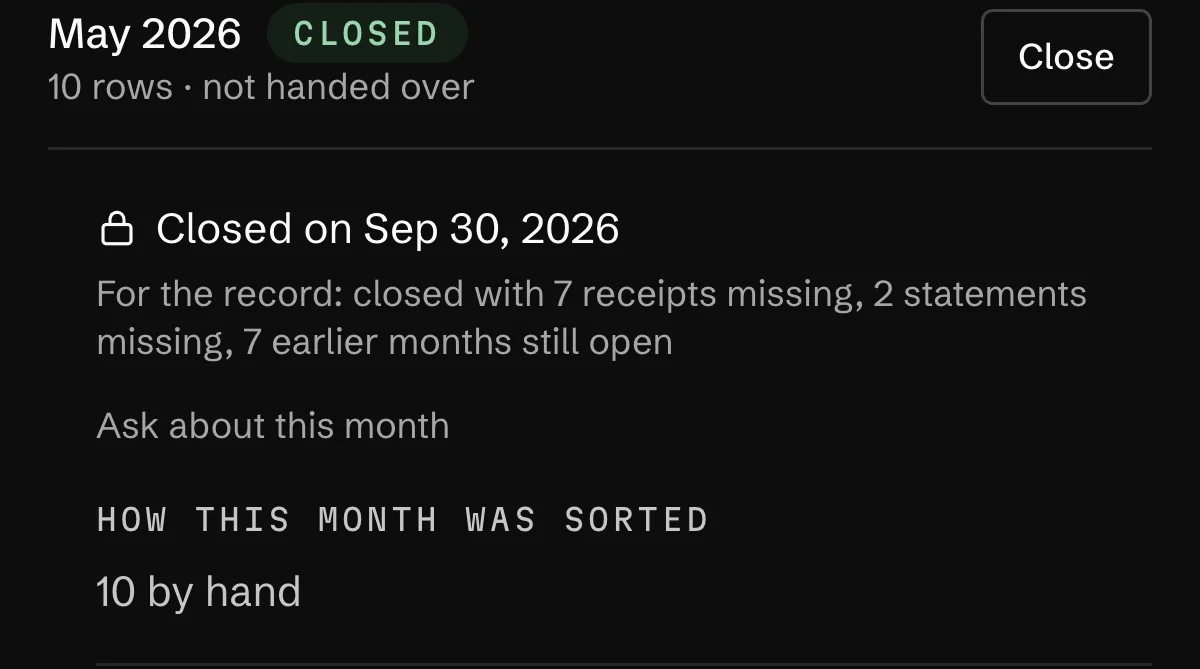
Alder & Wren's accountant wants May closed before the quarter does. Seven expenses have no receipt, neither statement is filed, and seven earlier months are still open. None of that blocks the close, and none of it should vanish either: whoever reads May later needs to know what was missing when it closed.
The route
From the checklist to a closed month
Recorded on the demo studio's books, on May.
- 01Open the monthsFor the accountantMonths
Every month with its state: running, sent, reviewed, closed, or changed after you sent it.
- 02Read the checklistCheck the month
Ten checks on the month's own rows. Three block the close: a category on every row, codes on categories and accounts, no payment waiting for signatures. The rest, here receipts, statements and the earlier months still open, won't block closing.
- 03Close the monthClose
The accountant seat can press it. The dialog lists what goes on record with the month, so whoever reads May later sees what was known when it closed. A note is optional.
- 04The month is locked
May shows Closed with the date and the record. Its rows turn read-only, and a payment dated inside it is refused with the month named. The archive and the journal stay one download away.
Who does what
Where Orla stops and you press
Closing months needs Pro or higher and is switched on space by space. The checklist and the month states show on any plan. The journal file and the month's ZIP need Pro.
Orla does
- Runs ten checks against the month's own rows, all month long.
- Locks a closed month: its rows turn read-only and backdated payments are refused.
- Marks a month sent when its files are downloaded, and changed when anything moves after that.
You do
- Fix what blocks, or hand it to your accountant to fix.
- Press Close. Your accountant can too.
- Reopen a month when you must, as owner or admin, with a reason.
Orla does not
- Sync with Xero or QuickBooks. The handoff is a file: a double-entry journal as CSV, and a ZIP of the month.
- Guess your account codes.
- Reopen a month because the assistant was asked to. Only a person with the right, and a reason, reopens it.
- Close the current month.
Questions
What people ask about this
What are the steps in the month-end close process?
Categorise every row, match the bank to the ledger, collect receipts, settle what's still owed, clear pending payments, then lock the month and send it on. In Orla each of those is a line of the checklist, measured against the month's own rows.
How long should month-end close take?
Mostly as long as the chasing takes. The checklist runs all month, so on close day you're fixing what it already listed rather than finding out.
What do accountants do during month-end close?
Review categories and codes, tie the bank to the books, check receipts, then lock the period. The accountant seat in Orla does it in the same books, can press Close, and can't move money.
What if something changes after I sent the month?
The month shows as changed after the handoff. Ask what changed and you get rows added, changed and removed since you sent it, and how the total moved.
Read next
Where this goes on
See it on your own books
Thirty minutes: we connect an account, drop a real bill in, and close a month together.