Use case · Paying suppliers
Supplier payments wait for the right signature, under a rule anyone can read
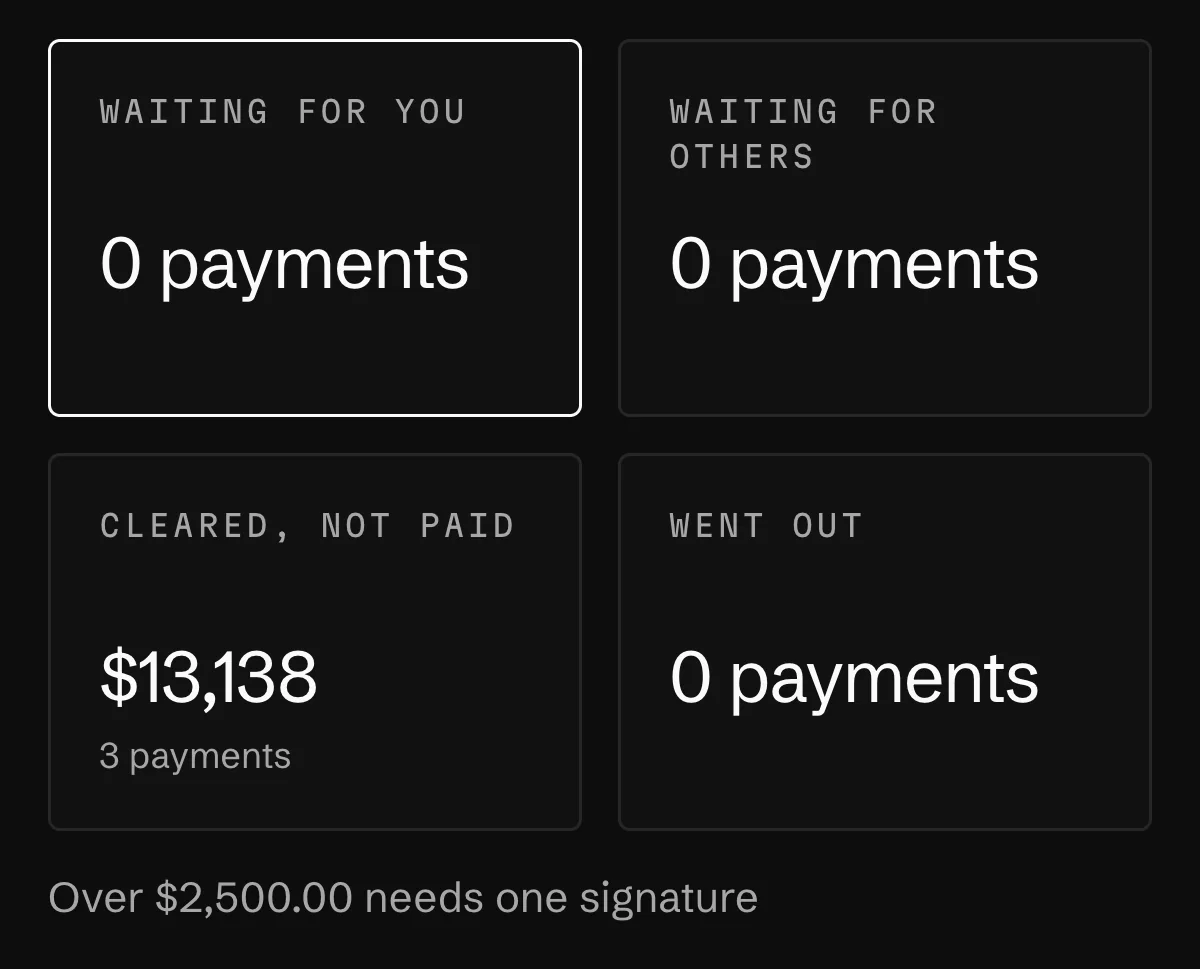
Set a threshold and how many people sign. Everything over it waits in Payments, and whoever proposed a payment can't sign it.
The case
Three bills over the line
Alder & Wren pays contractors and software every week. Until now, approval meant a thumbs-up in a group chat. The rule is now one line, over $2,500 needs one signature, and this week three bills are over it.
The route
From the rule to the signed run
Recorded on the demo studio's payments.
- 01Write the ruleTeam & accessSigning
A threshold in dollars and a number of signatures. Address-book only sends can also require a signature for anyone you haven't marked as trusted.
- 02Pay bills in one runPay selected
Tick the bills in Bills to pay. They go as one run, and the rule is checked on the total.
- 03Ask before signing"should I sign this"
The assistant says what it knows about the payee and the amount. It never signs, and never talks as if it could.
- 04Sign what waits for youWaiting for youApprove selected
Rows you can't act on are skipped with the reason; nothing fails the whole batch. A payment still waiting nudges its approvers once a day.
Who does what
Where Orla stops and you press
Approval rules live in business spaces. One rule, a threshold with how many sign and address-book only, comes with every plan. A second rule, a ceiling, named signers or monthly limits per person need Scale or Enterprise.
Orla does
- Checks the rule, and who may sign, again at every signature.
- Skips what can't be approved, with the reason, instead of failing the batch.
- Nudges approvers once a day while a payment waits.
You do
- Write the rule, and change it when the company changes.
- Sign. Whoever proposed a payment can't be one of its signatures.
- Mark a paid bank transfer as paid, when it went out of your bank.
Orla does not
- Sign a payment from a chat conversation.
- Let an AI role or an agent sign or approve anything.
- Pretend there's a rule when there isn't. Without one, payments book without a signature, and the Payments page says so.
Questions
What people ask about this
How do you approve an invoice?
Check it against what you ordered, then sign the payment under your rule. In Orla the bill goes to Bills to pay, the payment waits in Payments for the signatures the rule asks for, and signers approve it there or in bulk.
What is the best software for managing the approval process?
One where the rule is written down, checked at every signature, and can't be skipped by the person who wants the money to move. That's how approvals work in Orla.
What happens to payments under the threshold?
They book without a signature. To have more of them signed, lower the threshold, or turn on address-book only so anyone untrusted needs a signature.
Read next
Where this goes on
See it on your own books
Thirty minutes: we connect an account, drop a real bill in, and close a month together.