Use case · Getting paid
Turn a retainer contract into recurring invoices, and see the months nobody billed
Upload the signed contract. Orla reads the fee and the dates, sends each month's invoice, and lists the months still waiting for one.
The case
Harlow Coffee, three months behind
Alder & Wren has billed Harlow Coffee $6,000 on the first of the month since March. June went missing while the account lead was away, August slipped during a launch, and September hasn't gone out either. That's $18,000 of finished work nobody asked for, and it only showed up when the cash forecast looked thin.
The route
From the signed PDF to the missed months, in one sitting
Recorded on the demo studio's books; the waits while the model reads are cut. The steps are the same in your space.
- 01Hand the contract to the assistantContractsRead with the assistant
The signed PDF sits in Documents as a contract nobody has read yet. One press and the assistant reads it once: a monthly retainer of $6,000 from March 1, billed on the 1st, fourteen days to pay.
- 02Confirm the clientHarlow Coffee Co.
A card asks who the client is, matched to the contact you already have. The contract card that follows names the account the money lands in.
- 03Create the contractCreate contract
Nothing is sent today. From the next date in the contract, each month's invoice is issued and emailed on its own until the contract ends.
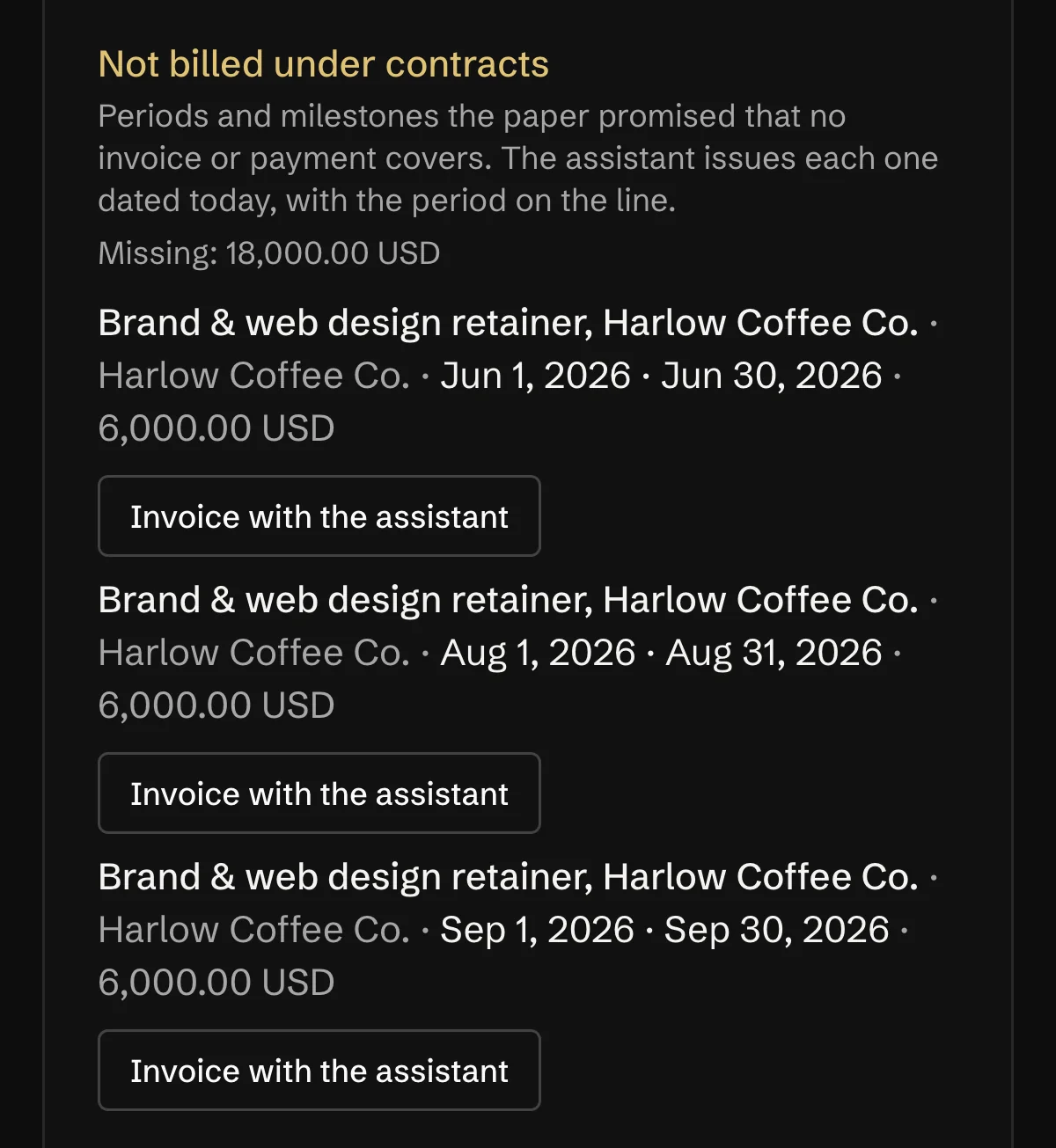
- 04See what was never billedNot billed under contracts
June, August and September have no invoice and no payment for that amount. Missing: $18,000.
- 05Bill a missed monthInvoice with the assistant
The assistant prepares the invoice for the period, dated today with “Jun 1 to Jun 30, 2026” on the line, and sends it when you press. Orla doesn't backdate it.
Who does what
Where Orla stops and you press
Contracts and recurring schedules need Pro or higher, and contracts as the source of invoices is being switched on space by space. A schedule already set up keeps billing on any plan.
Orla does
- Reads the signed contract once: fee, period, start and end, days to pay.
- Issues and emails each retainer invoice on its date, and stops when the contract ends.
- Lists every period with no invoice and no payment, with its amount and a total per currency.
- Reads a new version of the file on its own and shows what changed.
You do
- Check what was read, and correct it in plain words.
- Press Create contract, and press again for each missed month you want billed.
- Invoice each milestone when it's done: on its day the owners get a notice, and one press sends it.
Orla does not
- Backdate an invoice for a missed month. It's dated today, and closed tax years stay off the list.
- Send milestone invoices without a press. Only retainers go out on their own.
- Put a rate on a quote that isn't in the contract.
- Copy bank details out of the contract file.
Questions
What people ask about this
How do I invoice a retainer fee?
On the day the contract says, for the fee it says, with the period written on the line. In Orla the contract does it: the fee and the dates are read from the signed file, and each period's invoice is issued and emailed on its date.
What is retainer billing?
A fixed fee billed on a schedule for ongoing work, usually monthly. The weak spot is the month nobody remembers to bill, which is what Not billed under contracts is for.
Can a missed month be invoiced with its old date?
No. It's invoiced today, with the period it covers on the line, so the books and the client's copy tell the same story.
What happens when the rate changes halfway through?
Upload the new version of the contract. Orla lists the fields that changed and, when you press Apply from the date, ends the old schedule the day before and starts the new one.
Read next
Where this goes on
See it on your own books
Thirty minutes: we connect an account, drop a real bill in, and close a month together.